 StartEase
Employee guide: from your invitation to your first pay stub
What to do after your employer invites you: set up your account, fill in your forms, and where to find your pay each payday and your W-2 each year.
Your employer uses StartEase Payroll to pay you correctly and keep the right records. You only see your own information. This guide lists everything you do, in order.
| When | What you do |
|---|---|
| Today | Accept the invitation and set a password. |
| Before your first day | Fill in My profile, your W-4, and Form I-9 Section 1. |
| Every payday | Open My pay stubs. |
| When something changes | Update your address or give a new W-4. |
| Each January | Get your W-2. |
Step 1. Accept the invitation
- Open the email from StartEase Payroll and select the link.
- Choose a password of at least 12 characters and type it twice.
- Select Set password and continue.
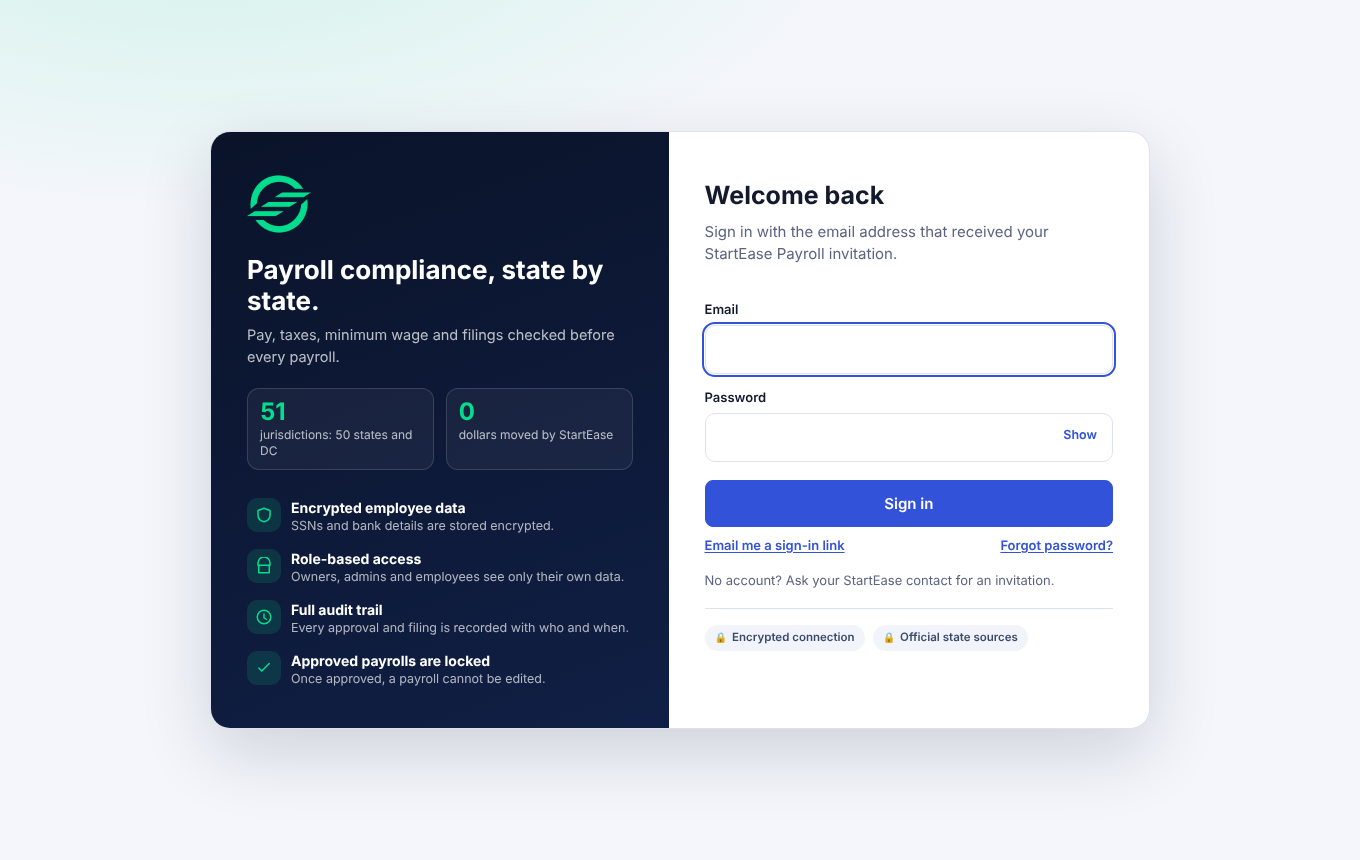
The link expires. If it has, ask your employer to send a new invitation. If you forget your password, see Sign in, reset your password, and stay signed in.
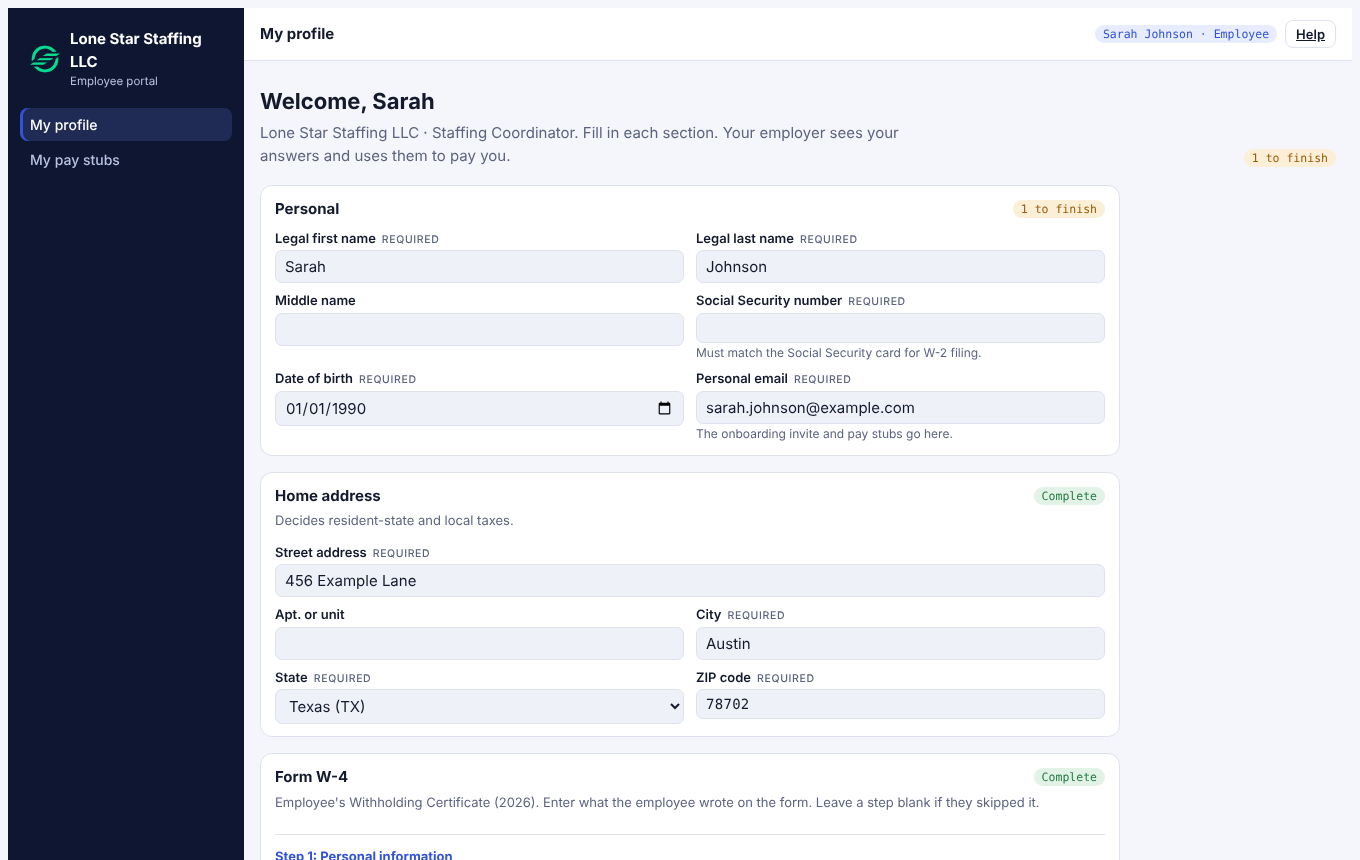
Good result: you land on My profile with the sections listed below.
Step 2. Fill in My profile
Each section shows Complete or N to finish. Work from the top. If your employer sent you an offer letter, it appears at the top of My profile: Read and accept your offer letter.
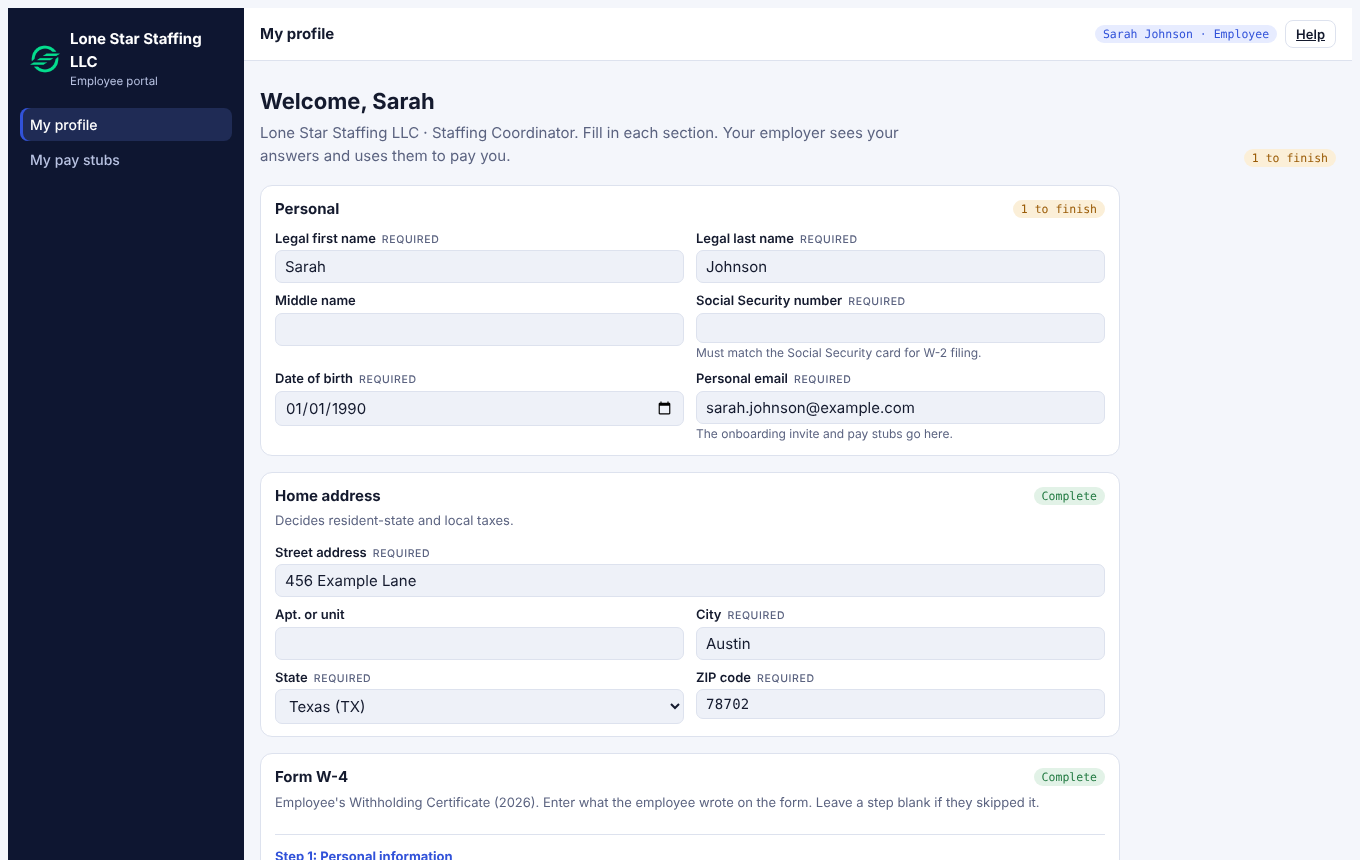
- Personal: legal name, Social Security number, date of birth, personal email. The SSN must match your Social Security card because it appears on your W-2. It is stored encrypted and shown only as the last four digits.
- Home address: where you live. It decides your resident state and local taxes.
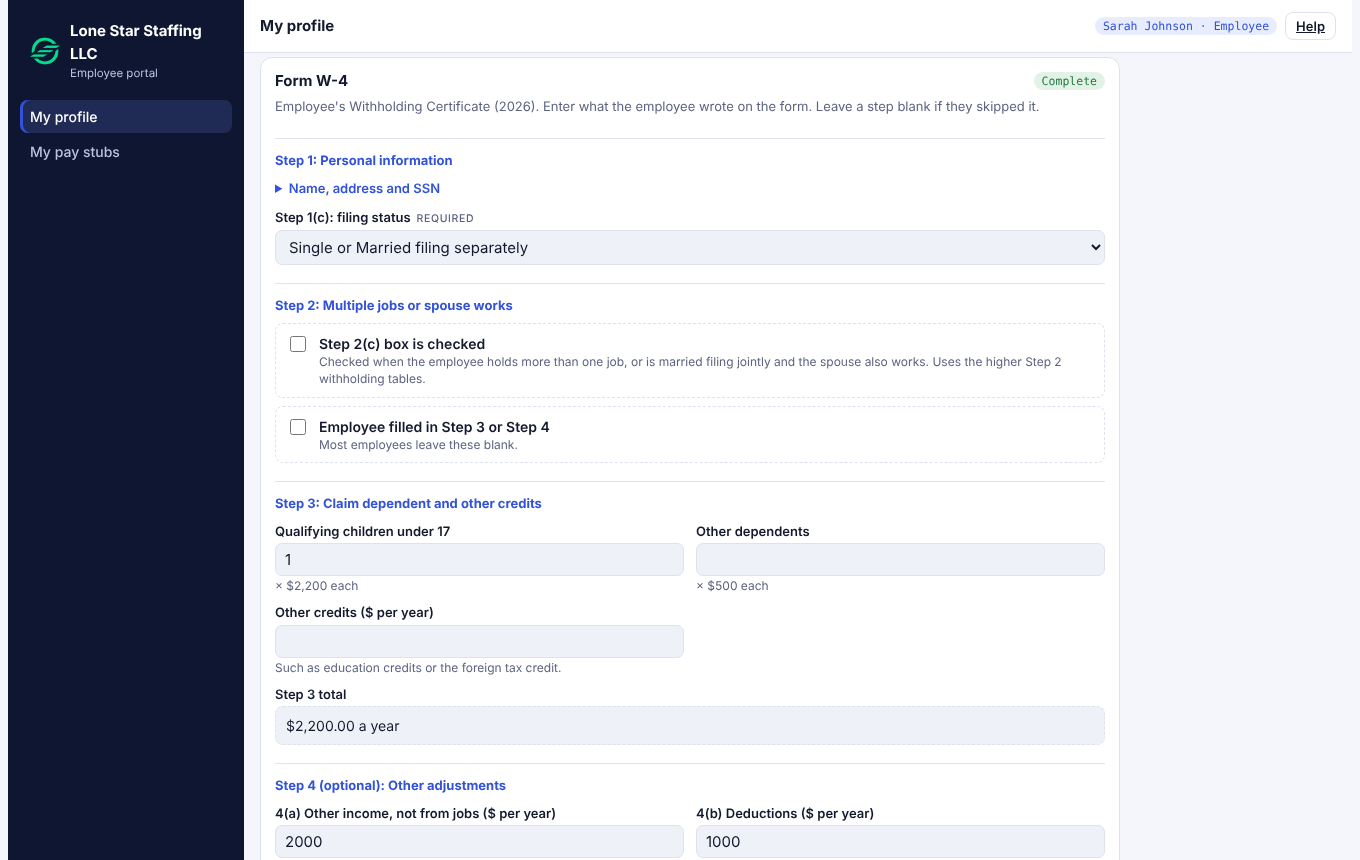
- Form W-4: how much federal income tax to withhold. Fill in your filing status, then Steps 2 to 4 only if they apply to you, then the date you signed. Upload your signed W-4 (PDF, JPG, PNG or WebP, up to 10 MB).
- State withholding: shown only if your state taxes income. Enter what you wrote on your state's withholding form.
- Form I-9, Section 1: your name, how you attest your right to work, and the date you sign.
More detail: Fill in your profile and Form W-4 and Form W-4: what it is and how it is approved.
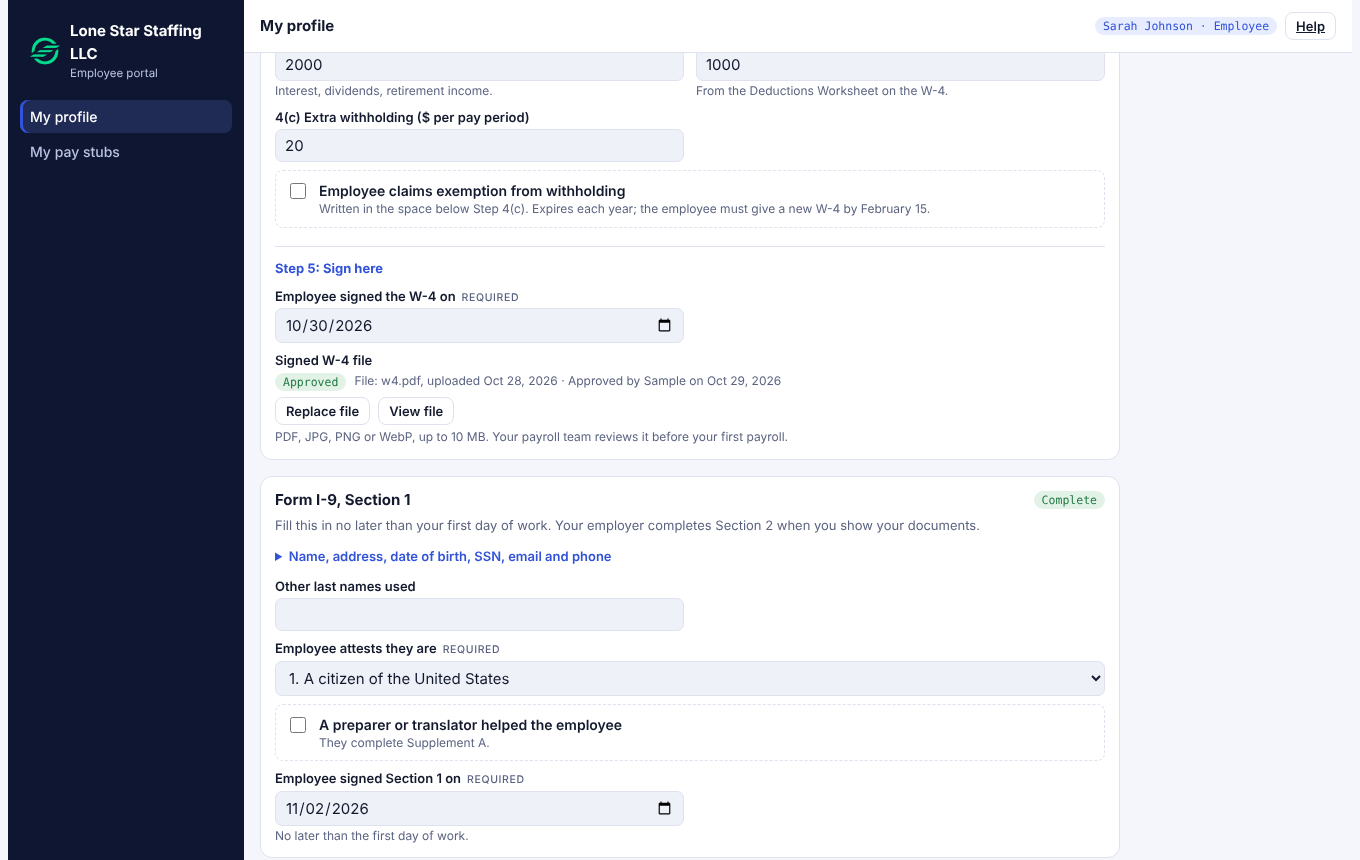
- Sign Section 1 no later than your first day of work.
- Within 3 business days of starting, show your employer your original documents so they can complete Section 2: one from List A, or one from List B plus one from List C.
More detail: Form I-9: what to fill in and what to bring.
Step 3. After you submit
- Your payroll team reviews your W-4. You get an email when it is approved, or when it needs a change (with the reason). If it is rejected, upload a corrected copy.
- If you replace a W-4 file later, it is reviewed again.
Step 4. Every payday
When a payroll is approved you get an email: Your pay stub is ready. It names the pay date and has no amounts. Open My pay stubs to see them.
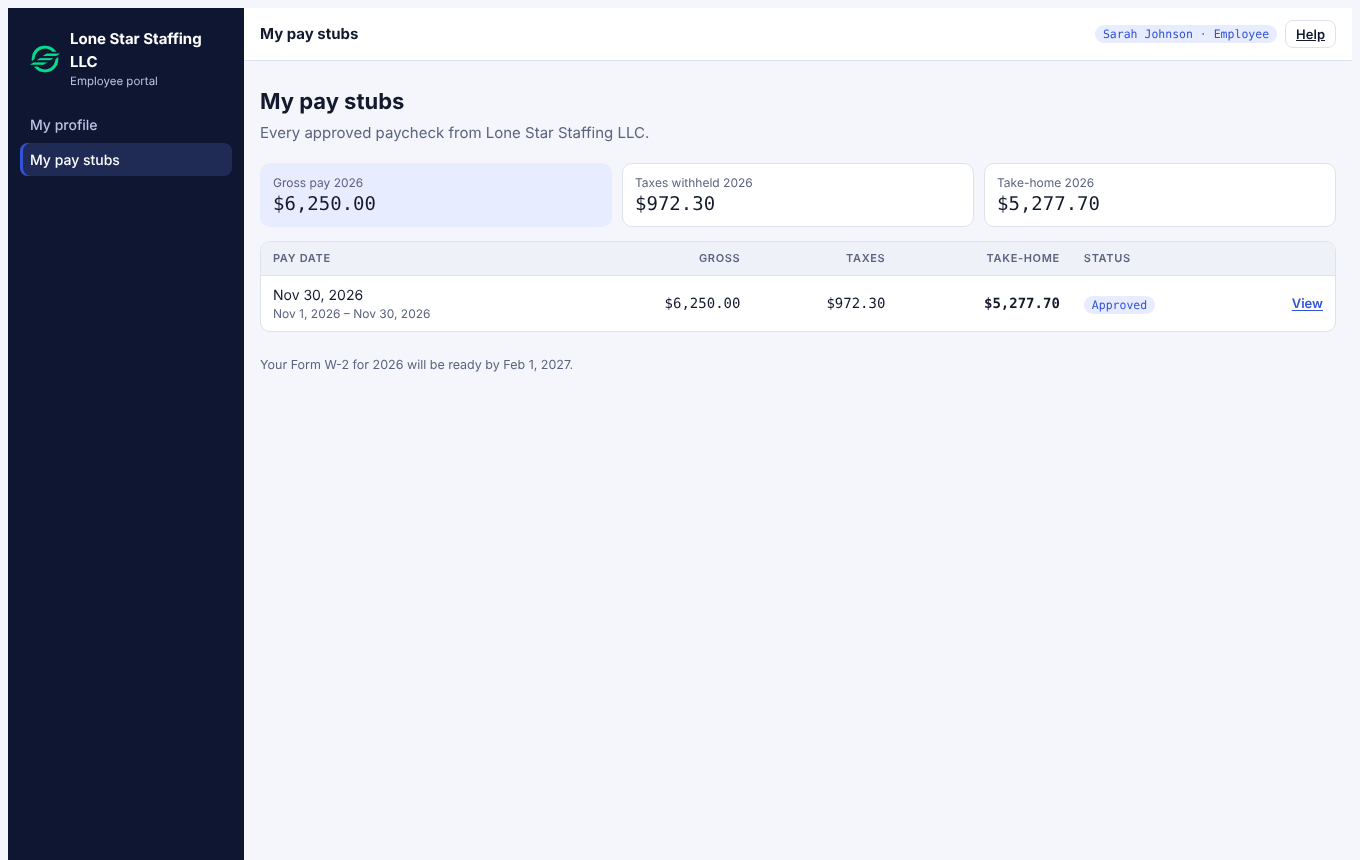
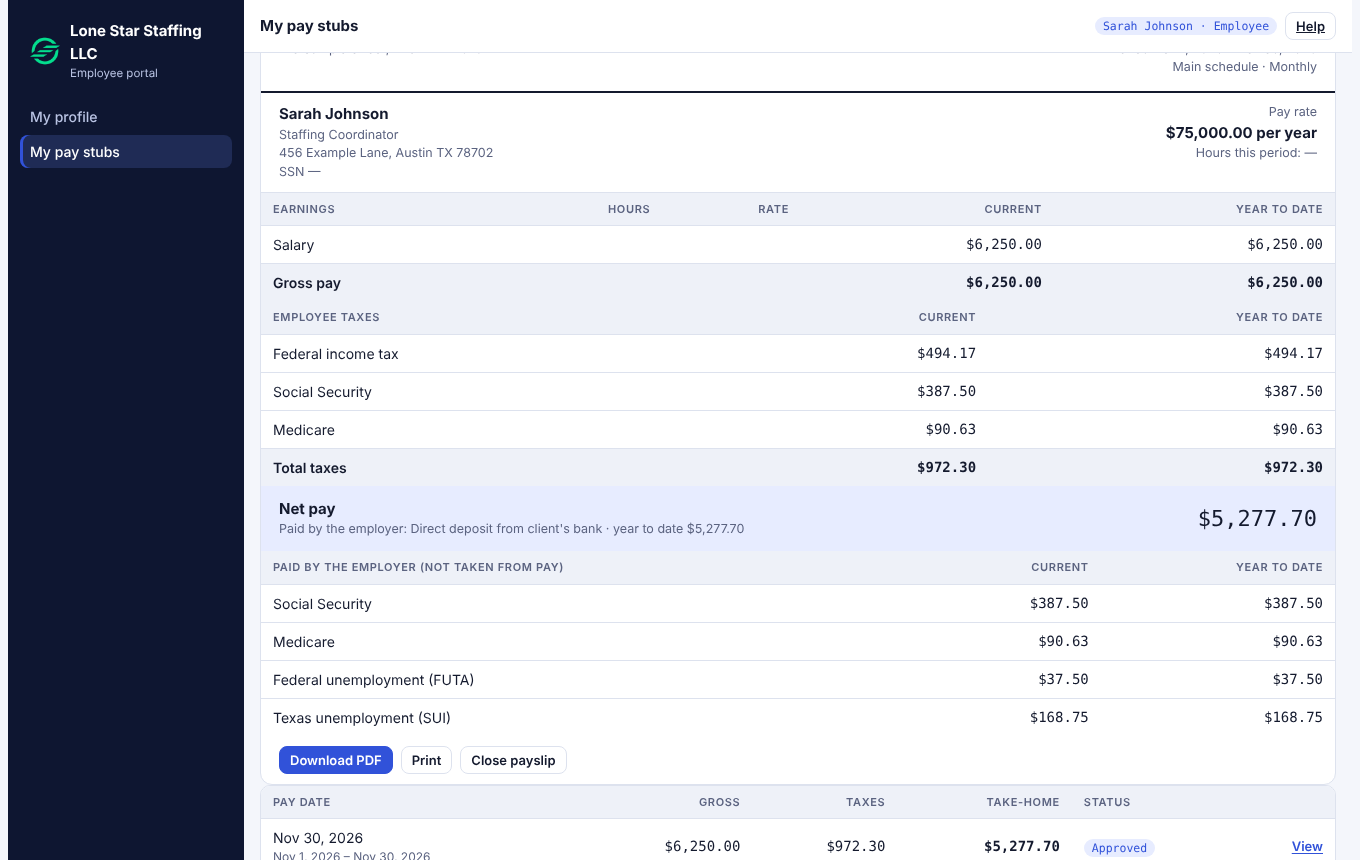
The status says Paid once your employer has paid you from its bank. StartEase does not send money; if you are not paid by your pay date, ask your employer. More detail: Your pay stubs and Download your pay stubs.
When something changes
| What happened | What you do |
|---|---|
| You move | Update Home address in My profile before the next payday. |
| Your tax situation changes (marriage, a second job, a new child) | Fill in a new W-4, upload it, and enter the new date. |
| You claimed exemption from withholding | The claim ends each year. Give a new W-4 by February 15 or withholding returns to the standard amount. |
| You leave the company | Tell your employer the date. Your last paycheck covers the days you worked. |
Every January: your W-2
Your employer must give you Form W-2 by January 31. Open My pay stubs or follow Get your Form W-2.
Emails you will get
- Your invitation, and reminders to finish your I-9 Section 1 and W-4.
- Your W-4 was approved, or needs a change.
- Your pay stub is ready.
- Your W-2 is ready.
- Your password was changed, or a new sign-in from a new browser or device. If that was not you, change your password and write to hi@starteaseai.com.
Checklist
- ☐ Password set and signed in
- ☐ Personal and Home address complete
- ☐ W-4 filled in, signed date entered, file uploaded
- ☐ I-9 Section 1 signed by your first day
- ☐ Documents shown to your employer within 3 business days