 StartEase
How Managed payroll works: your payroll manager, your approval, your hours
A dedicated payroll manager does the work. You approve each task and its hours before it starts.
What is Managed payroll?
A StartEase payroll manager runs your payroll with you. You approve every payroll and every task. The software is included. You pay $24 an hour for the hours your payroll manager works, with no subscription, no per-employee fee and no per-payment fee.
How a task works
- Proposed. Your payroll manager proposes a task, such as a filing or an agency notice, with an estimate of the hours.
- You decide. In Manager tasks you select Approve or Send back. Nothing starts until you approve.
- Started. Your payroll manager confirms and starts the task, then logs each step and the hours on it.
- Done. The task is completed and its hours go on your ledger.
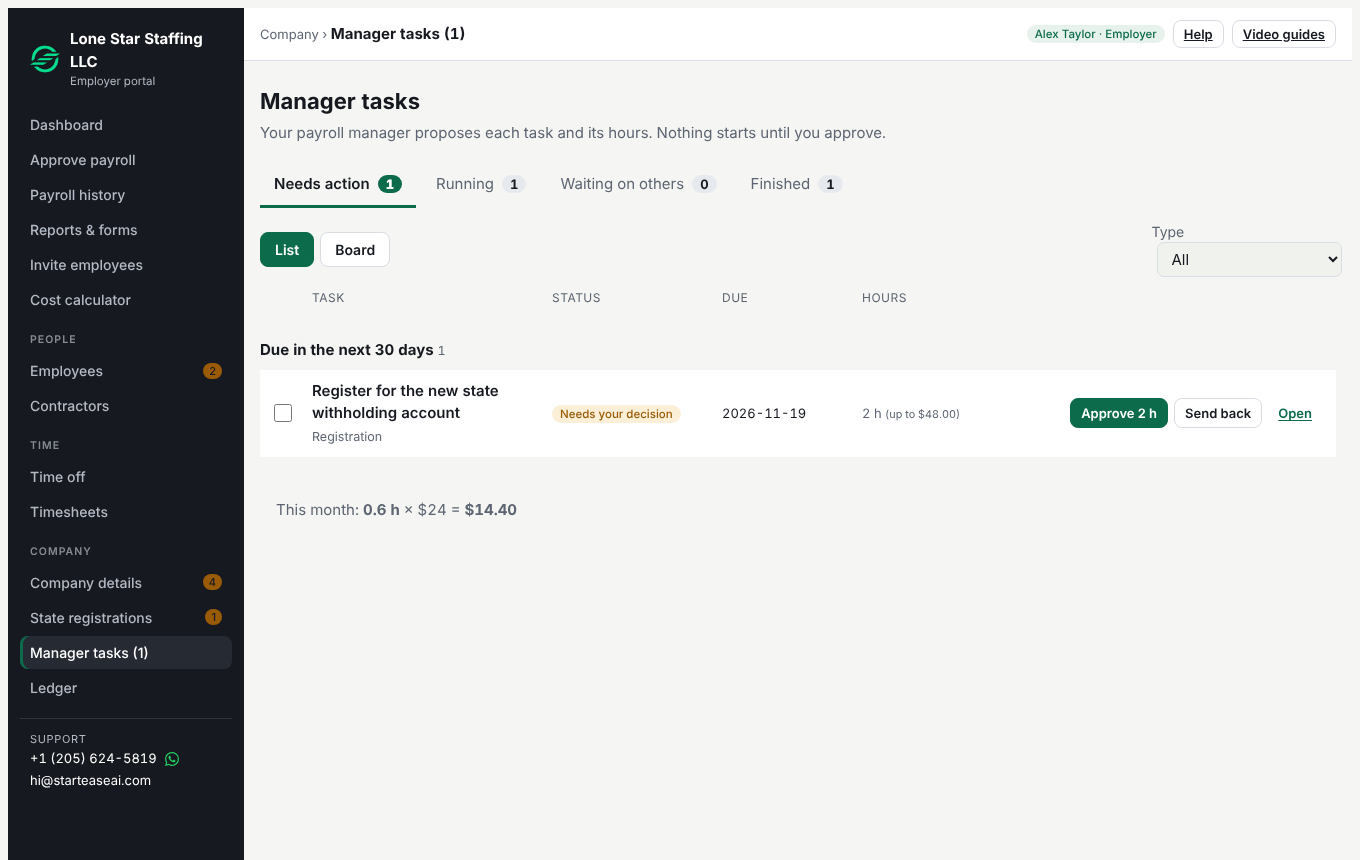
Hours stop at the estimate
Your payroll manager cannot log more hours than the estimate you approved. If a task needs more, your payroll manager asks, and you approve the extra hours or you do not.
What you can see on every task
Open a task to see what has happened: each government site attempt, agency call, email or mail, client follow-up and filing, with the result, the next step and the evidence. You see every attempt, including the ones that failed. Hours are logged in steps of 0.1 hour.
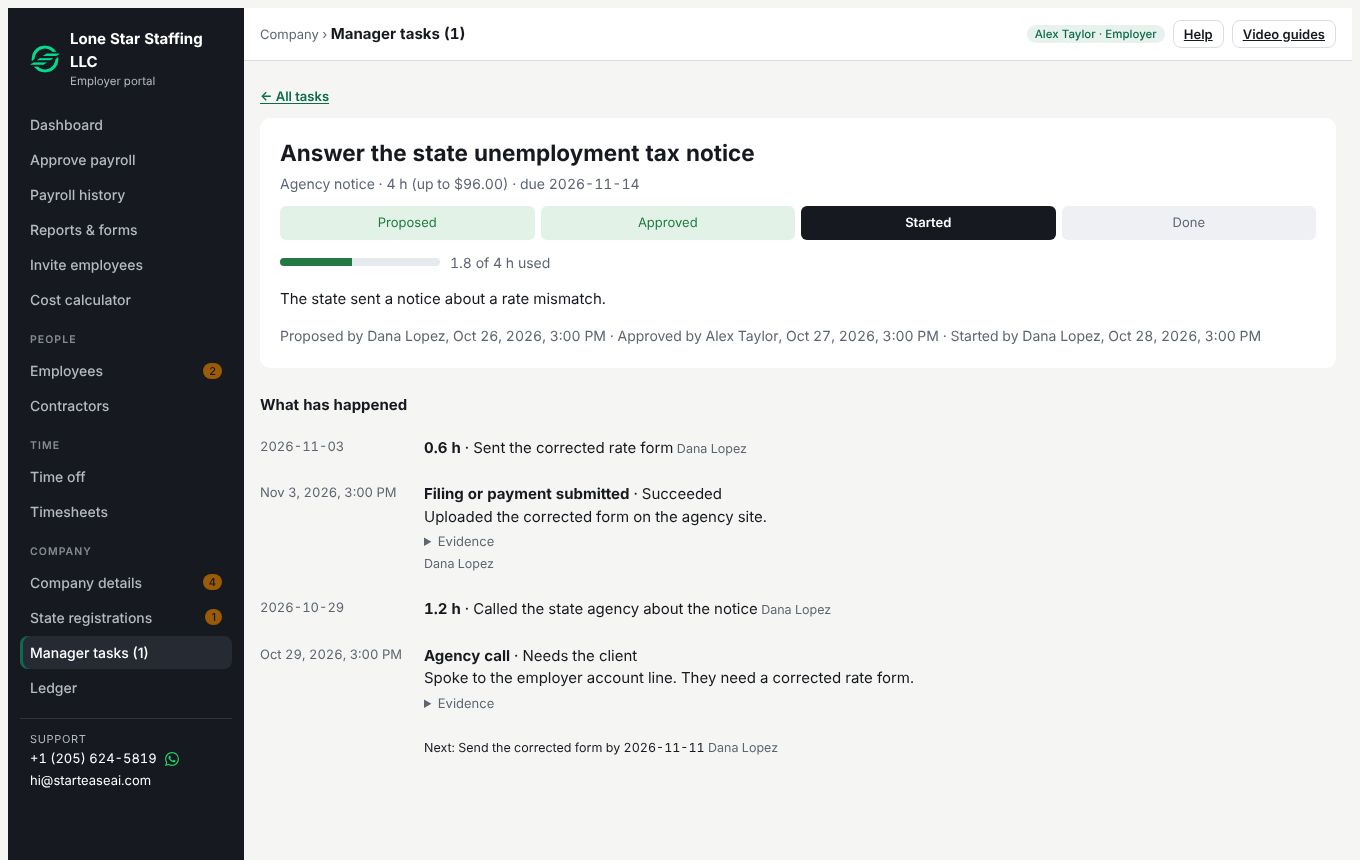
Proof files
A log entry can carry up to 5 files: PDF, JPG, PNG or WebP, up to 10 MB each. Video is not accepted. A screenshot must hide Social Security numbers and bank account numbers before it is attached.
What it costs
$24 an hour for the hours worked, and nothing else. See what you get and the arithmetic for sample tasks.
Every fee is the hours worked times the hourly rate that was stored on that entry. Every fee and payment is on your ledger. Your bank may charge its own fees when you pay your team.
What stays the same
- You approve every payroll. Each one is checked against 14 federal and state rules, and stopped if one fails.
- You pay your team from your own bank. StartEase prepares the bank payment file when it is available, and you upload it at your bank.
- Federal tax deposits are made by your company from its own EFTPS account, or by StartEase as your authorized agent when you sign IRS Form 8655 and choose it in Company details.
- We never ask for an EFTPS PIN or password, or for bank logins.