 StartEase
How the ledger works: fees, payments and your balance
Every fee and every payment for your payroll manager's work, with a running balance.
What is the ledger?
The ledger is the one place that shows what you have been charged and what you have paid for your payroll manager's work. Open Ledger in the menu.
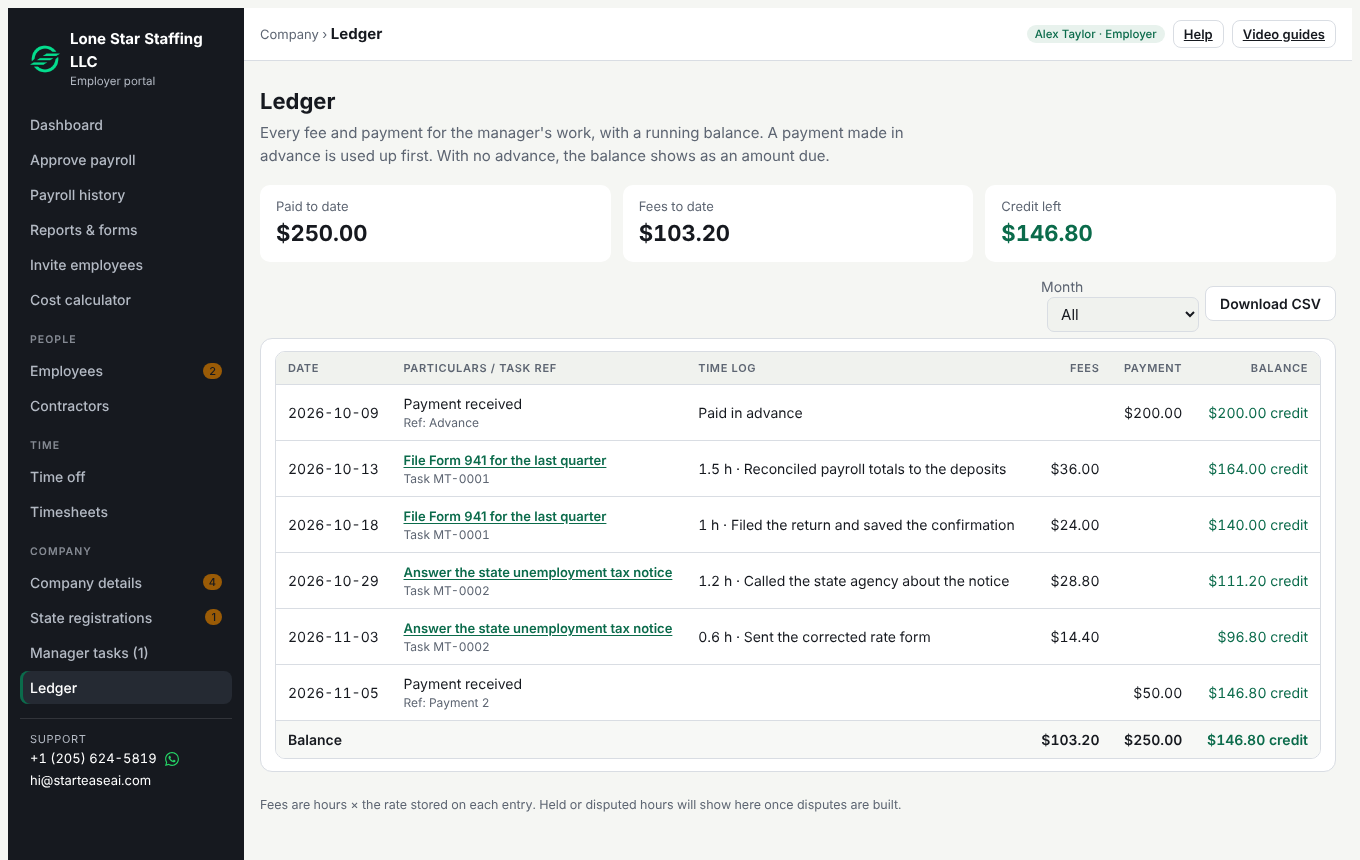
The columns
| Column | What it shows |
|---|---|
| Date | The date of the work, or the date a payment was received. |
| Particulars / task ref | The task, such as Task MT-0002. Select it to open the task and see what was done. A payment shows its reference. |
| Time log | The hours and the note the payroll manager wrote for that entry. |
| Fees | Hours times the rate stored on that entry. |
| Payment | Money you paid to StartEase. |
| Balance | Payments minus fees, after each line. |
Advance payments and amount due
If you pay in advance, the advance is used up first, and the balance shows as a credit. If you have not paid in advance, the balance shows as an amount due. The three boxes at the top show paid to date, fees to date, and the credit left or the amount due.
Who records a payment
Only StartEase staff record a payment, by hand, when it arrives. A recorded entry cannot be changed or deleted. A mistake is fixed with an adjustment that carries a note, so the history stays complete.
Filter by month and download
Choose a month to see its opening balance, its lines and its closing balance. Select Download CSV to get the same lines as a spreadsheet.
What is not on the ledger
There is no subscription fee on Managed payroll. What you get for $24 an hour. The ledger shows only the hours for your approved tasks, and the payments you made.
How long it is kept
See Data retention in the Privacy Policy.