 StartEase
Help / Getting started
What you can see and do
An employer and an employee see different things. Your StartEase payroll team does the setup and runs the payroll.
Employer
You approve payroll, mark people paid, and see your company's history, taxes and reports.
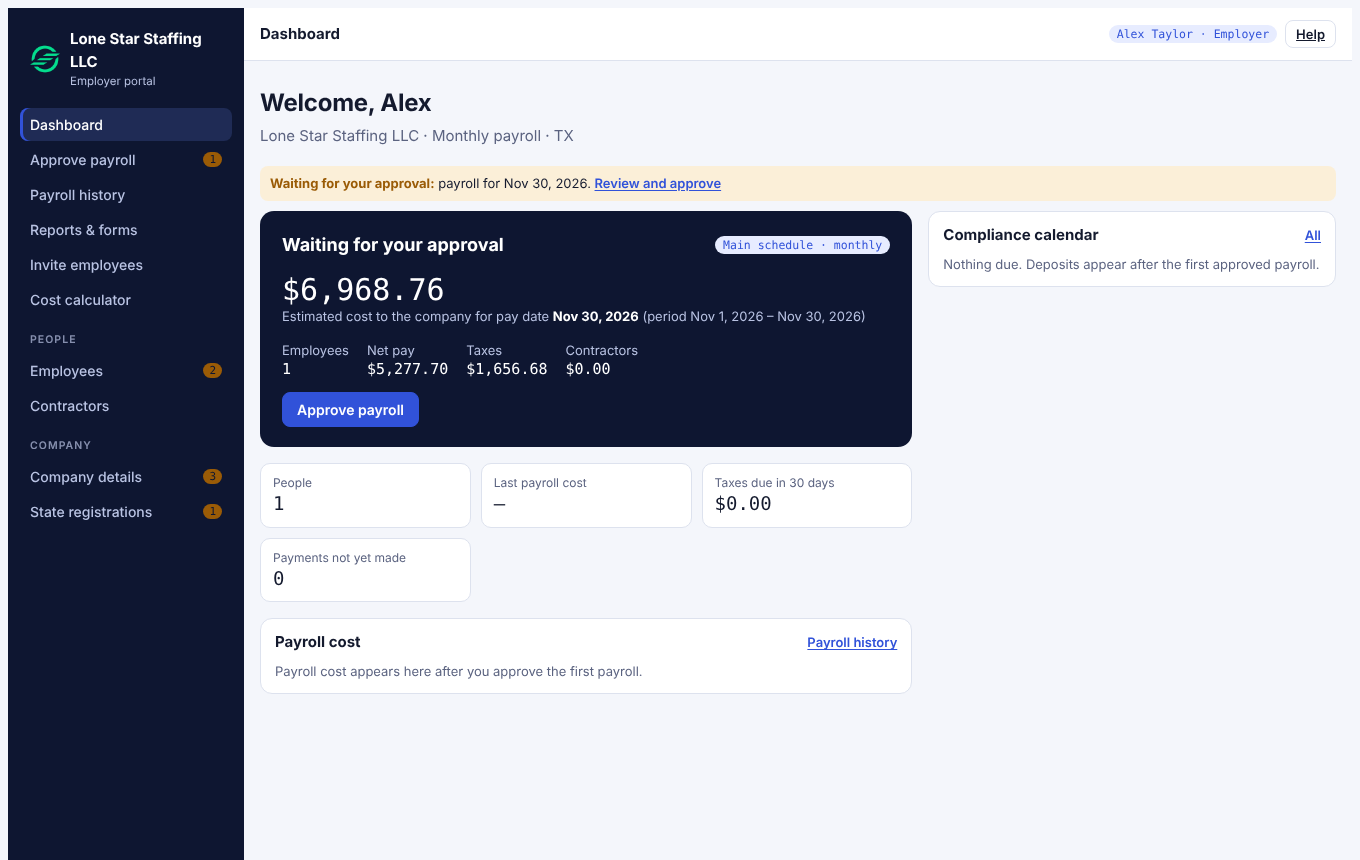
- Approve payroll: check each payroll and approve it, or send it back with a note.
- Payroll history: approved payrolls and pay stubs. Tick each person once you have paid them.
- Reports & forms: tax deposits, quarterly and yearly forms, with a place to record what you paid or filed.
- Employees and Contractors: add people, with their job, pay and work state. You can type a Social Security number or contractor tax ID, but you cannot read it back. The employee fills in their own date of birth, email, phone, home address, W-4 and I-9.
- Invite employees: send each employee an email invitation so they can fill in their forms and see their pay stubs.
- Company details and State registrations: fill in your company, pay schedule, federal setup, state account numbers and your assigned unemployment rate.
- Cost calculator: see what a salary costs the company and what the employee takes home.
Employee
You fill in your own details and see your own pay.
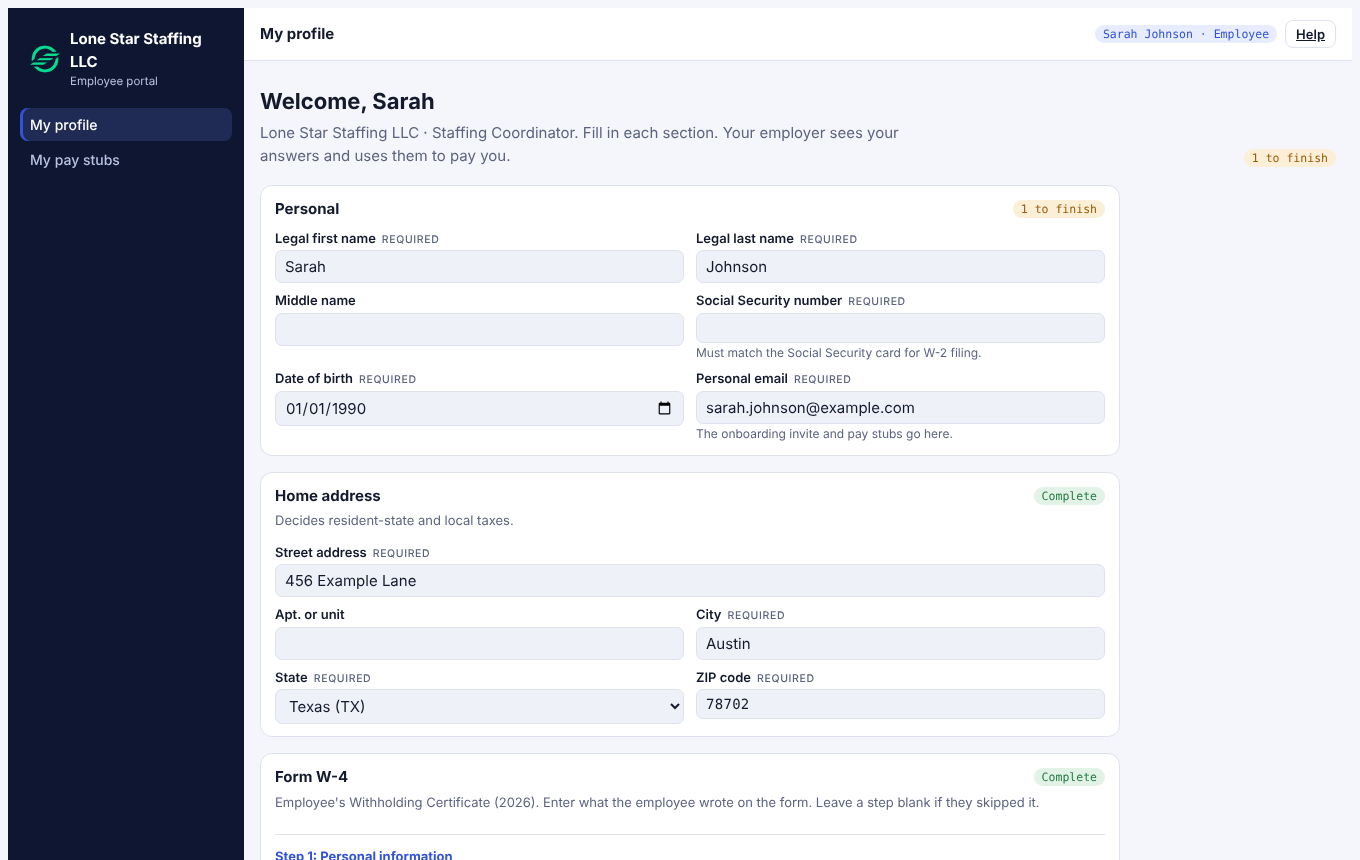
- My profile: personal details, home address, Form W-4 and Form I-9 Section 1.
- My pay stubs: every approved paycheck.
Who sees what
- Your Social Security number is stored encrypted. StartEase does not store bank account numbers.
- Employers cannot read employees' private records or W-4 files.
- Every approval is recorded with who and when.
- Once a payroll is approved it is locked and cannot be edited.
Note. StartEase works out pay, taxes and reports. It does not pay your employees or contractors: you pay your people from your own bank. Tax deposits are made by StartEase as your authorized agent or by you, as set in Company details.
Next: Approve a payroll