 StartEase
Help / Employers
Reports & forms: tax deposits and filings
How to find what you owe and when, and how to record that you paid or filed it.
Reports appear after a payroll is approved. StartEase works out the figures. You pay and file with the government yourself, then record it here.
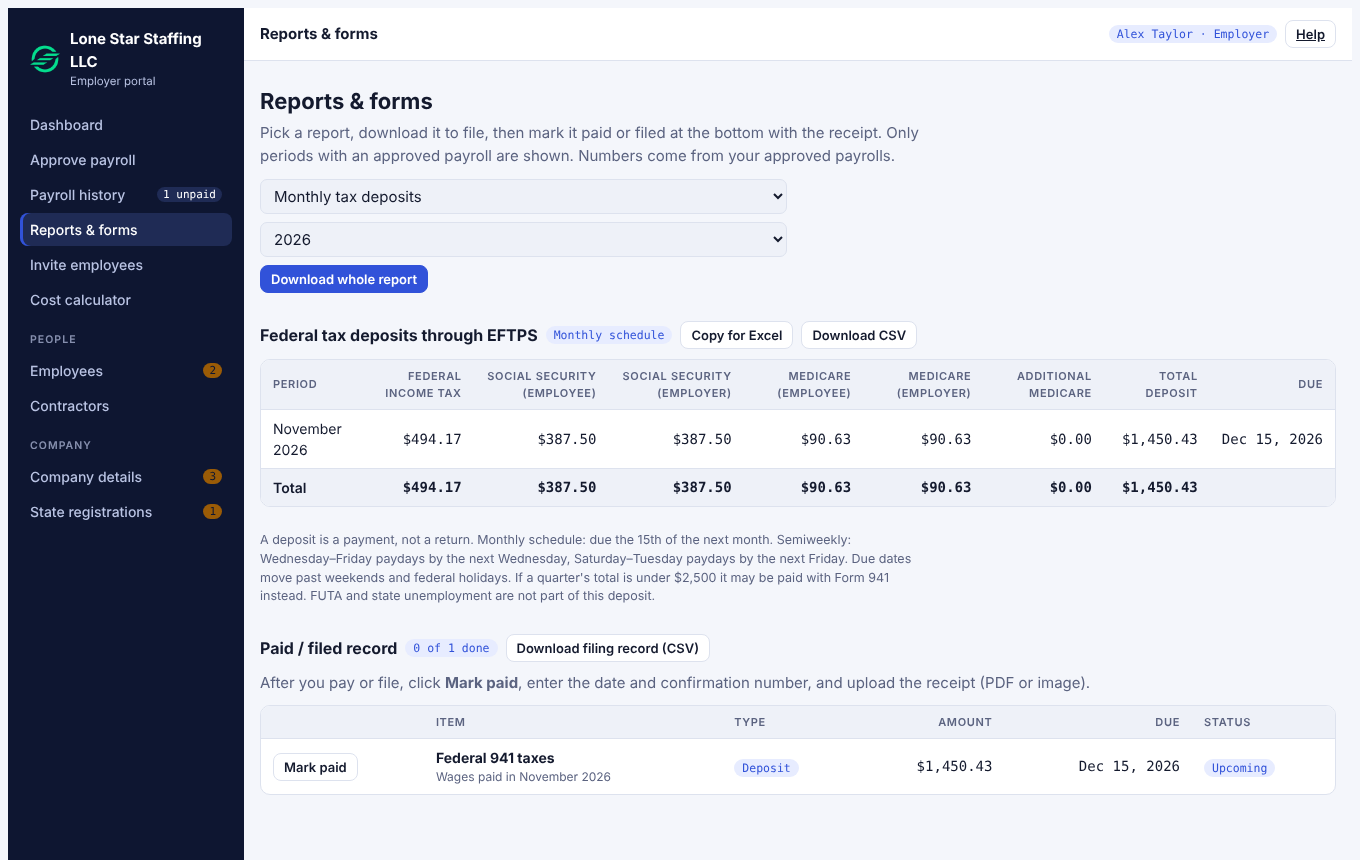
Pick a report
Use the first dropdown, then choose the year:
| Report | What it is |
|---|---|
| Monthly tax deposits | Federal income tax, Social Security and Medicare you deposit. |
| Form 941 (quarterly) | The quarterly federal payroll tax return. |
| Form 940 / FUTA (yearly) | The yearly federal unemployment tax return. |
| State reports, State unemployment (quarterly) | The reports for each state where you have employees. |
| W-2 (per employee), W-3 (totals) | Year-end wage statements and their totals. |
| 1099-NEC (contractors) | Year-end form for contractors paid at or above the threshold. |
| I-9 and new-hire report | Employee paperwork and state new-hire reports. |
| Local taxes (paid by hand) | City or county taxes you pay yourself. |
Select Download whole report for a file, or Copy for Excel / Download CSV above a table.
Federal tax deposits
- A deposit is a payment, not a return. You make it through EFTPS.
- Monthly schedule: due the 15th of the next month. Semiweekly: Wednesday-to-Friday paydays by the next Wednesday, Saturday-to-Tuesday paydays by the next Friday. Due dates that fall on weekends and federal holidays move.
- If a quarter's total is under $2,500, it may be paid with Form 941 instead. FUTA and state unemployment are not part of this deposit.
Record that you paid or filed
- In Paid / filed record, find the item and select Mark paid.
- Enter the date and the confirmation number.
- Upload the receipt (PDF or image).
The item changes from Upcoming to done, and your records keep the receipt. You can download the whole record as a CSV.
Note. StartEase does not file or pay anything for you. Check your due dates with your payroll manager.
Next: Back to the help center